#metoo chiclet keyboards
March 25, 2018
Total laptop breakdown
I've ranted before about some of the illogical technological evolutions. Recently, I got triggered again by some stupid evolution that doesn't fit into my brain. What happened? Well my laptop broke beyond repair and therefore Dell offered me to have a replacement (out of old stock) with about the same specs. Though the repair and replacement operation was not without flaws, that is not what I'm ranting about. Dell tried (not always with the greatest efficiency) to solve my problem and offering me a replacement was the correct thing to do. No blame there, Michael.
Other/newer/better...?
 About a month ago I received my 'new' laptop. Most of its specs are
comparable and in some cases even better than my old one. It's about
as fast, has a better video card. It's smaller with a comparable
screen size to my old one. It weighs less, battery lifetime is
better. So far I'm a happy man. However, what I have been able to
avoid for a few years now has become reality: I had to take a chiclet
keyboard and with it, a touch pad without separate mouse buttons, they
have been integrated in the touch pad.
I remember the chiclet keys from them old Sinclair ZX spectrum
days. They were horrible then, they are still horrible now. And, I
don't blame Mr. Sinclair, he made affordable home
computers. But... different setting: we are talking business laptops
intended for engineering in this case.
About a month ago I received my 'new' laptop. Most of its specs are
comparable and in some cases even better than my old one. It's about
as fast, has a better video card. It's smaller with a comparable
screen size to my old one. It weighs less, battery lifetime is
better. So far I'm a happy man. However, what I have been able to
avoid for a few years now has become reality: I had to take a chiclet
keyboard and with it, a touch pad without separate mouse buttons, they
have been integrated in the touch pad.
I remember the chiclet keys from them old Sinclair ZX spectrum
days. They were horrible then, they are still horrible now. And, I
don't blame Mr. Sinclair, he made affordable home
computers. But... different setting: we are talking business laptops
intended for engineering in this case.
Total disorientation
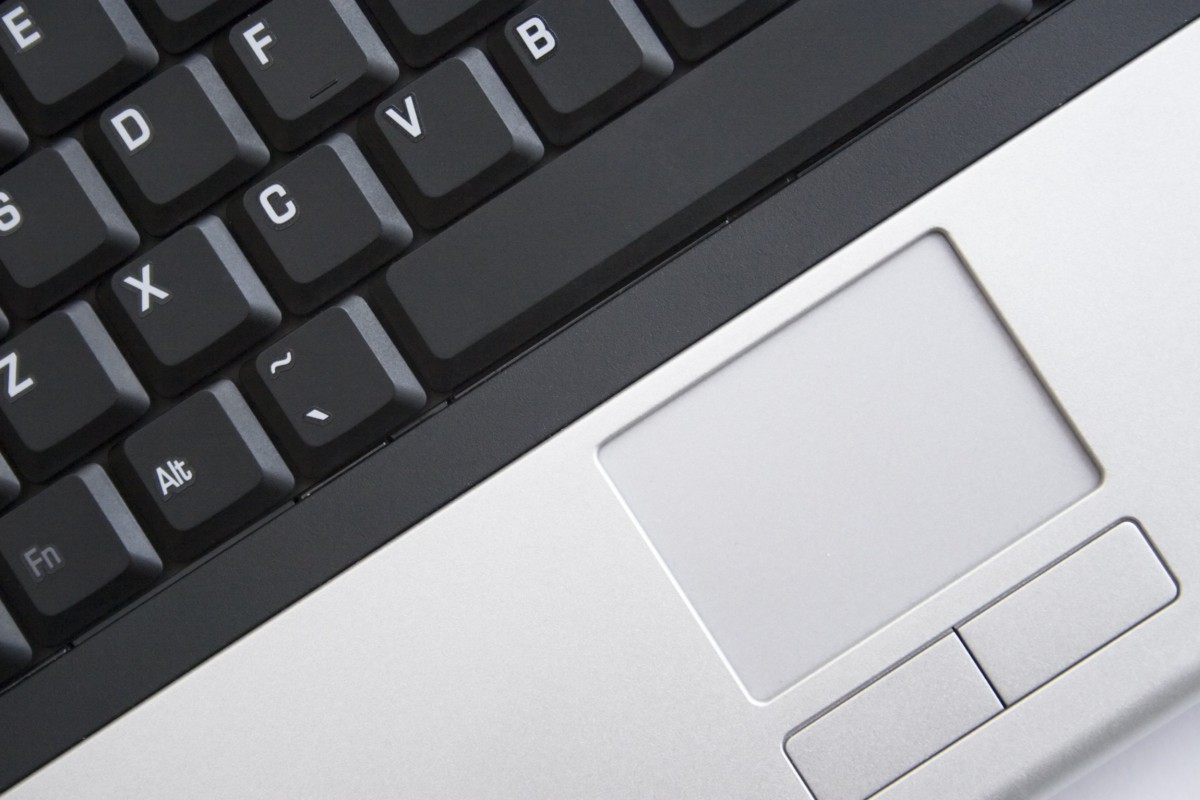 I keep hitting wrong keys. Typing long passwords has become a
nightmare. Operating the middle mouse button (very convenient under
X-windows to copy-paste with a single click) has become impossible
without looking at the touch pad to perfectly position your finger in
the exact middle of the bottom of the touch pad. Luckily they put a
visual line at that spot. For short: my productivity (which is
important for me) in programming and writing courses or new education
proposals for the faculty has gone down the drain.
I keep hitting wrong keys. Typing long passwords has become a
nightmare. Operating the middle mouse button (very convenient under
X-windows to copy-paste with a single click) has become impossible
without looking at the touch pad to perfectly position your finger in
the exact middle of the bottom of the touch pad. Luckily they put a
visual line at that spot. For short: my productivity (which is
important for me) in programming and writing courses or new education
proposals for the faculty has gone down the drain.
What could be positive reasons for switching from a tactile keyboard with curved keys to a chiclet keyboard? Don't mention hygiene or volume. Those are irrelevant. I fear that shape/style and cost reduction are the more obvious ones. They are definitely not positive to me.
The thing that laptop manufacturers seem to miss is that the curvature in the keys has a purpose. It gives sensoric feedback to align your hands and fingers on the keys. The tactile feedback and longer key travel length allows for a higher typing pace.
Replacing the laptop keyboard by a keyboard with another layout (e.g. from the dreadful ISO to the nice ANSI layout)? Impossible without ruining the top grille with a pair of snips. The latter issue alone cost me about a day of argument with the Dell support team. A small summary of my discussion with them (edited for clarity's sake): "I'd like to have an ANSI US keyboard, please." "We cannot guarantee that. Is an ISO US keyboard ok as well?" "No it is not. I will send it back if it is the wrong layout. Maybe I can replace it myself?" "No that is no longer possible. They are not interchangeable. You cannot but hope for the best." OK. That seems to be their best: "Expect the worst, and hope for the best."
Whodunit?
I don't know who to blame for it. Dell for following the trend? Apple (or its product designers) for setting the trend? Or the entire industry for being brainless?
Conclusion
 I almost no longer use my laptop to work on, unless I
can connect it to a decent keyboard and a decent mouse. Especially the
latter is a kind of losing twice. I am a great fan of touch-pads
over classic mice, as you can more easily switch from operating
your mouse pointer to operating the keyboard. That advantage is
completely lost by having to switch to a docked environment again.
This is progress in reverse.
I almost no longer use my laptop to work on, unless I
can connect it to a decent keyboard and a decent mouse. Especially the
latter is a kind of losing twice. I am a great fan of touch-pads
over classic mice, as you can more easily switch from operating
your mouse pointer to operating the keyboard. That advantage is
completely lost by having to switch to a docked environment again.
This is progress in reverse.
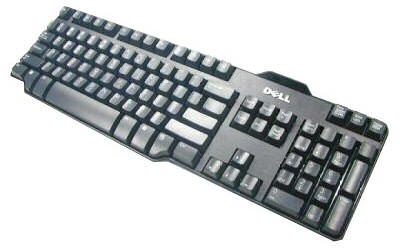
Still... worse is to come. The chiclet style also seems to conquer the desktop keyboard market. I think I'll stockpile these nice old and simple Dell keyboards.
Maybe in the future, you will see me carrying around an intel NUC in combination with a separate keyboard and screen: "laptop 2.0".